An advanced Mode 7 engine for Clickteam Fusion!
Report Bug
|
Documentation
|
Examples and Demos
Tails7 is a Mode7-style engine for Clickteam Fusion. You can use it to create pseudo "3D" games. It does not use additional extensions and works by reversing calculations from the shader.
- The engine is designed to handle multiple modes as it needs to map the object, scale, display on the screen and more.
- Very easy to use and has many ✨special examples✨.
Features of Tails7:
- Free, fully open source code under the MIT License
- Designed for modularity and modern computers
- Easy porting for other Runtimes such as Android, iOS, Mac
ℹ️ The documentation has been moved to website and updated whenever necessary.
ℹ️ I apologize for any errors and typos and please report them to me!
💝 I would like to sincerely thank them because the project would not work out:
- Sketchy / MuddyMole
- Linky
- Glace Sue
- Clickteam
- KYwoo
This project requires the following:
- Clickteam Fusion 2.5 (Build 296.8 or later): Link or Link for Steam version
- Clickteam Fusion 2.5+ DLC: Link or Link for Steam version
- FSP / Foxioo Shader Pack: Link
- Hardware that meets the minimum requirements with Clickteam Fusion.
- Device that supports Direct3D9 or Direct3D11 shaders.
- Press Code -> Download ZIP.

- Choose the folder where you want to download the entire zip file.
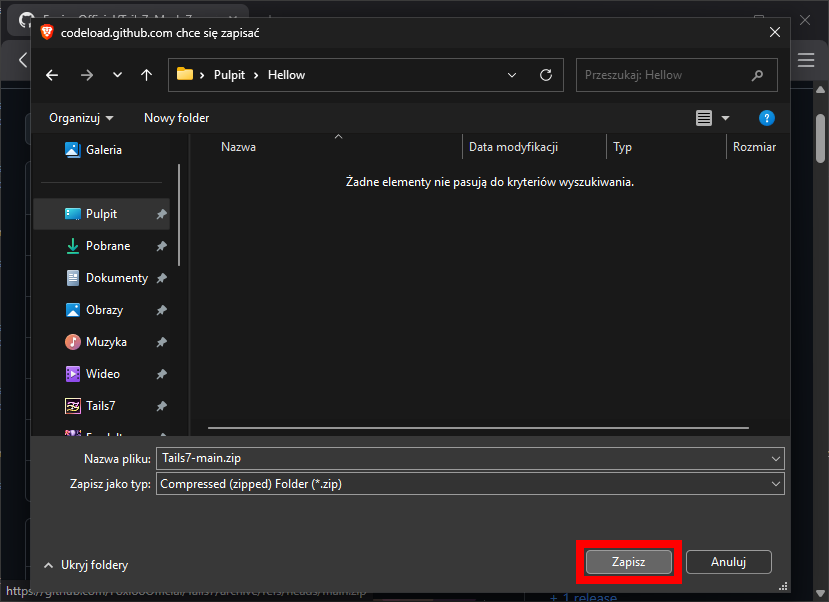
- Open the folder where the Tails7 zip file is located.
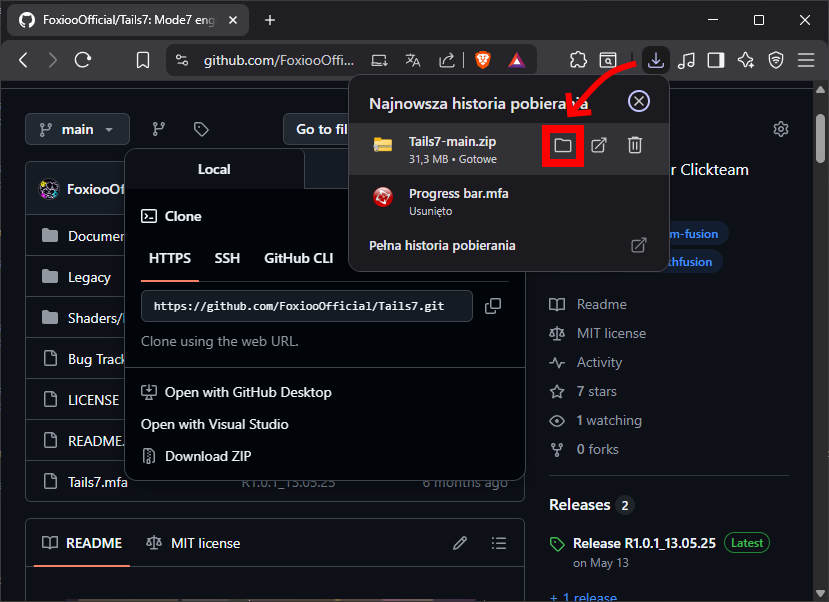
- Extract the Tails7 zip file.

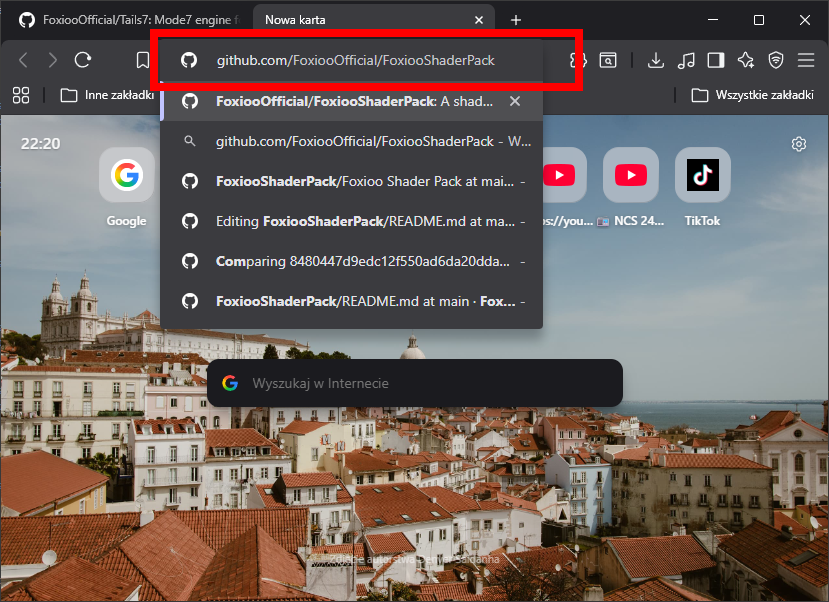
- In your browser, now go to the GitHub page of the FSP package *(If you have FSP installed, skip to point 9).
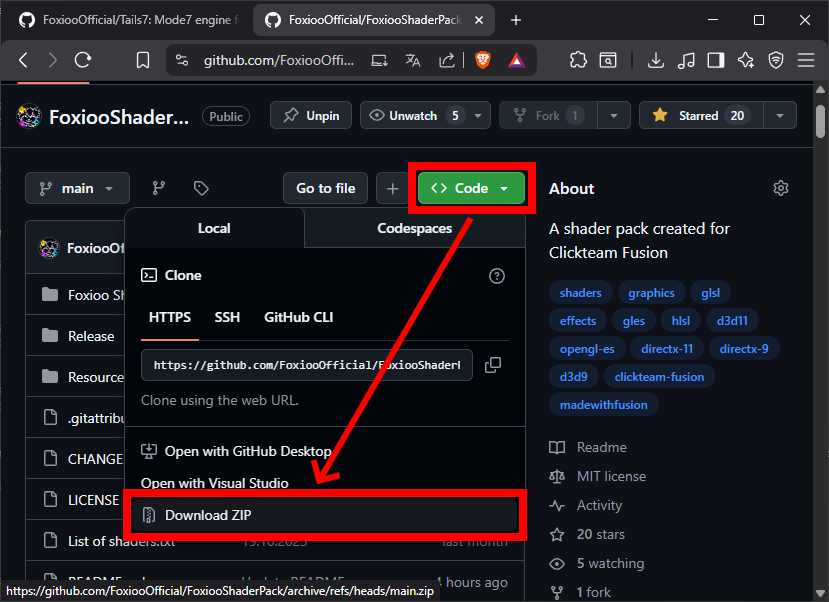
- Also click Code -> Download ZIP to download the shader pack that is needed for Tails7.
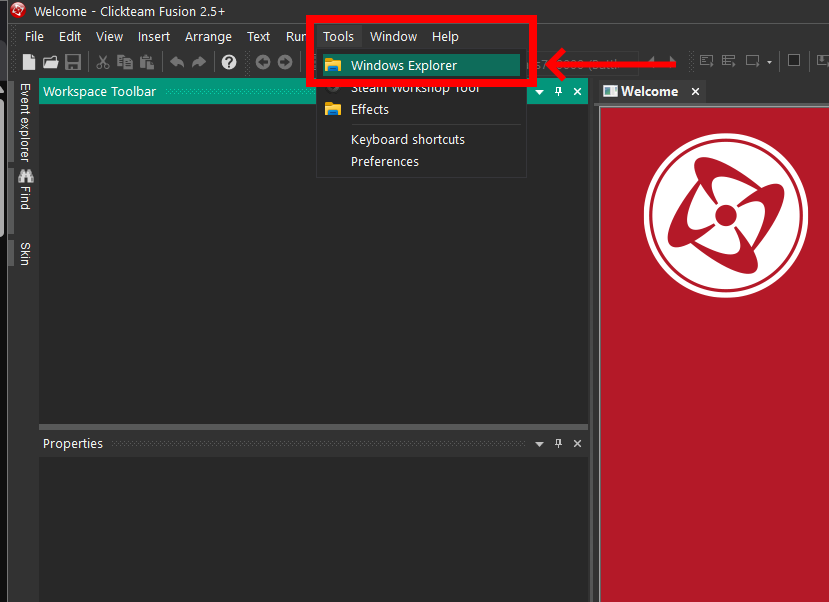
- In Clickteam Fusion, go to Tools -> Windows Explorer, a window should open showing where Fusion is installed.
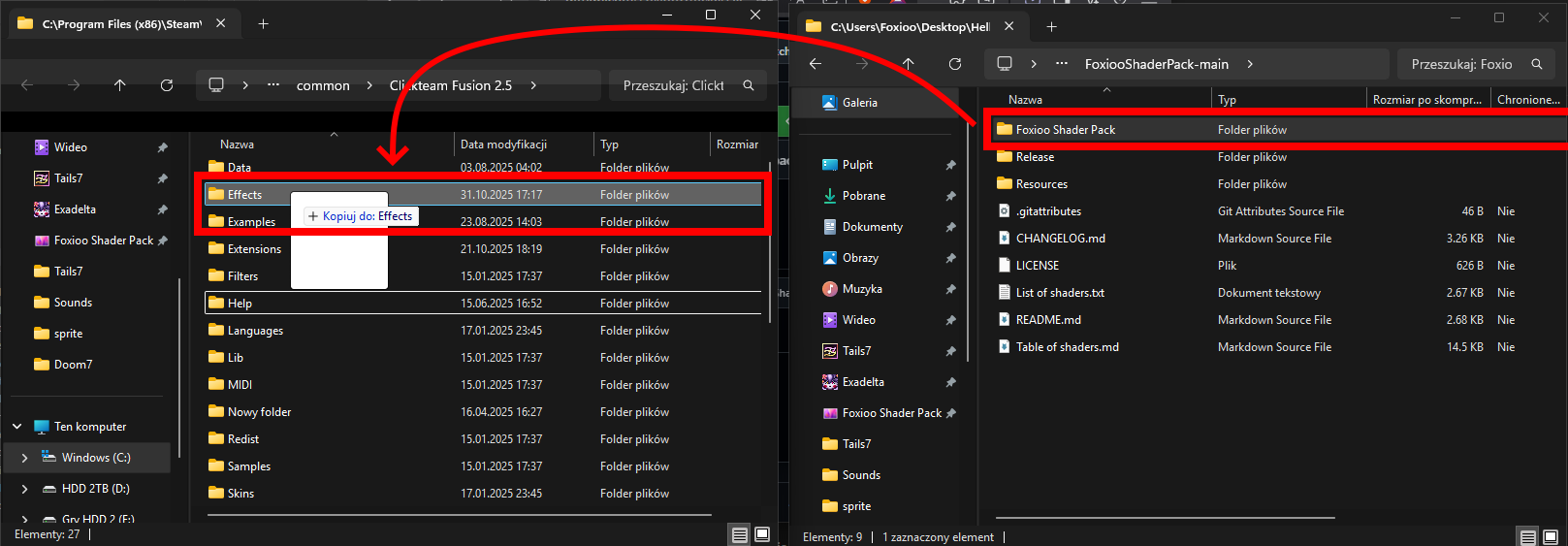
- Move the Foxioo Shader Pack folder from the zip subfolder to the Effects folder where Fusion is installed and restart Fusion.
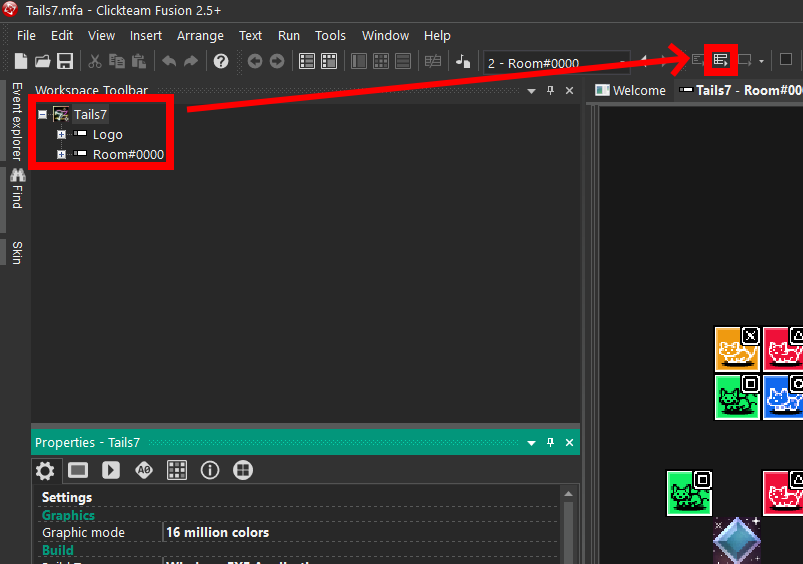
- Return to the folder where you downloaded the project and open Tails7.mfa.

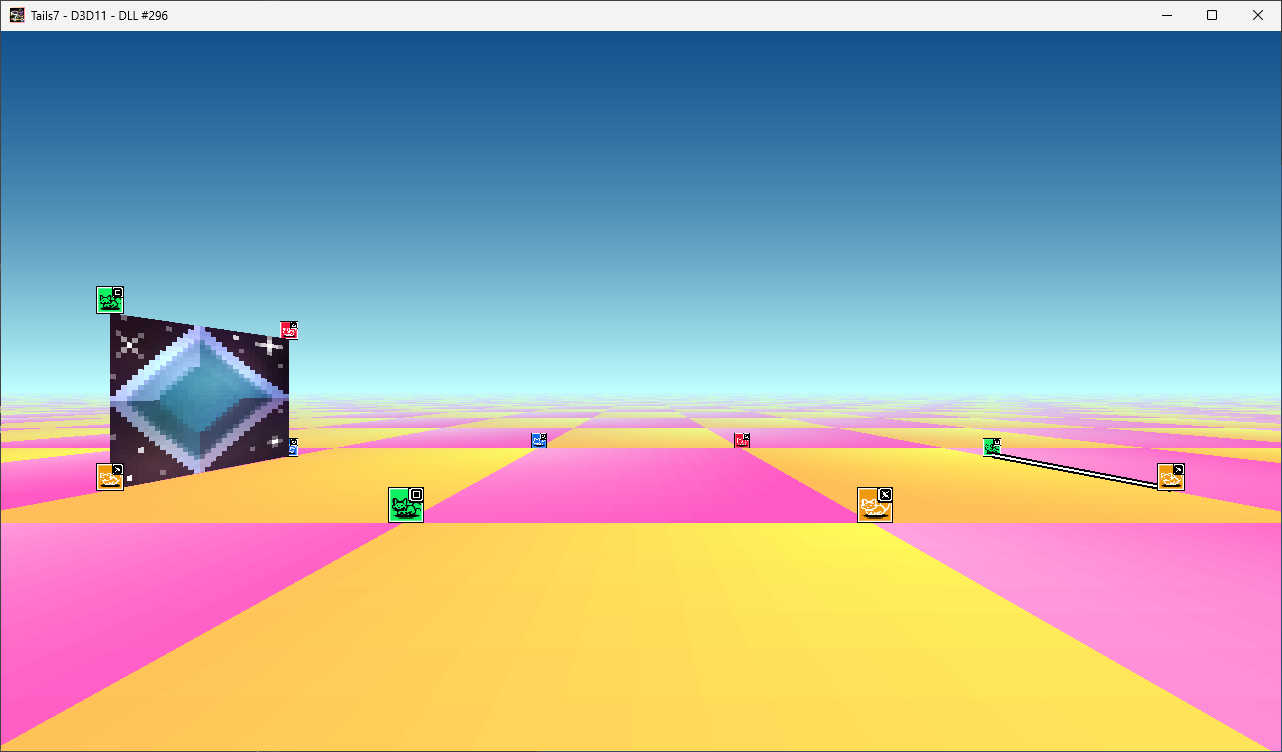
- When Tails7.mfa opens in Fusion, run the Runtime.
- Congratulations! You have successfully installed the engine and can start working on your project/game!
🔴 Issue topic:
Please report here, they will be checked on an ongoing basis and attempts will be made to fix them.
(These bugs will be recorded in the notebook Bug Tracker.xlsx)
🟢 Ideas topic:
Also report here, however, with the topic remember to add the appropriate tag!
The whole thing is based on MIT License
- ✅ You can modify the code and distribute it as you like.
⚠️ However, you must specify me (Foxioo) in the credits and people who are in special thanks!