Play HLS and DASH streams on Windows, with support for Clearkey, Widevine, and PlayReady DRM. No CORS issues to worry about. Pass your own Referer, Origin, Cookie User-Agent or any other forbidden/custom headers. Think of it as Android's Network Stream Player (NS Player) but for Windows.
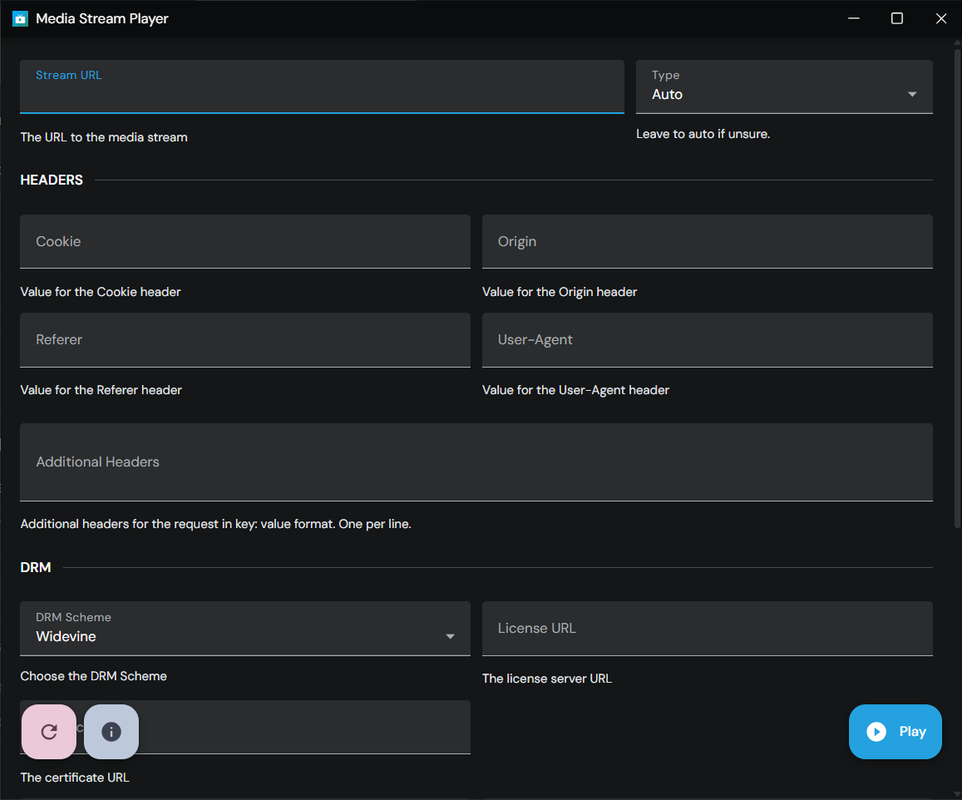

- Plays HLS and DASH streams
- No CORS restrictions
- Allows any custom headers, including forbidden ones
- Supports Clearkey (server/inline), Widevine, and PlayReady DRM
- Enables passing headers to license and certificate servers
- Includes all standard Shaka Player features: adaptive bitrate, multiple resolution options, audio track selection, captions, picture-in-picture
- Lets you override Shaka config with your own JSON object
- Portable app, no installation required, just run it
- Paste cuRL(bash) command or NS Player style URL in the Streaming URL for autocomplete
I often need to play HLS or DASH streams on Windows. I'm not gonna elaborate where and how I find these streams but you get the idea. On Android, apps like Network Stream Player (NS Player) make it easy, but Windows has no good equivalent due to complex DRM systems.
Browser extensions like Native HLS/DASH Playback can help with playback, but they struggle with custom headers and CORS because of browser security policie. So, I built my own app using Tauri, which on Windows uses WebView2 so native support for Clearkey, Widevine, and PlayReady is built-in.
I initially tried Electron since it lets you disable web security to use forbidden header and bypass CORS. But Electron doesn't support Widevine without custom builds and signing, and PlayReady isn't an option. So, I switched to Tauri. Tauri doesn't allow disabling web security, so I replaced Shaka Player's fetch loader with Tauri's fetch implementation. It's not as efficient as native fetch, but it works for custom headers and any URL.
- Tauri
- SvelteKit
- Shaka Player
- M3 Svelte
- Tailwind CSS